WooCommerce Integration
Splitmo's low-code plugin for WordPress WooCommerce makes it incredibly easy to integrate our payment gateway into your online store. You don't need to be a developer to set it up – simply follow our straightforward installation guide, and you'll be ready to accept payments in no time.
Configure Splitmo Plugin in Your WooCommerce Store
To get started, your site must have the WooCommerce plugin installed. Refer to a quick guide on installing WooCommerce.
Now that WooCommerce is fully set up, you can proceed.
Download our latest release of the Splitmo Plugin:
Download Latest WooCommerce Plugin
wc-splitmo-payment-gateway.zipInstalling Splitmo Plugin
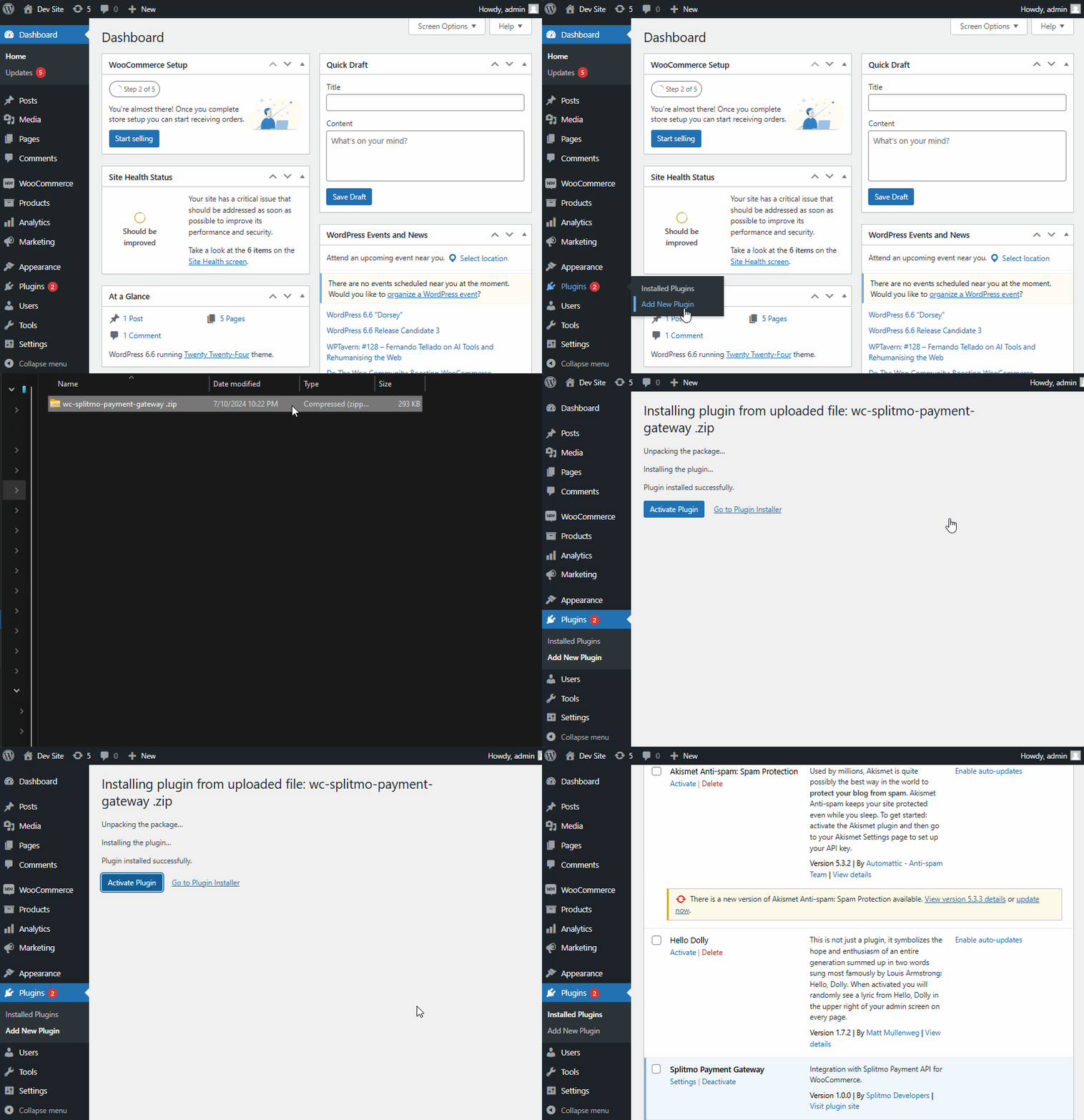
After downloading our latest plugin release, log in to your WordPress Admin and do the following:
- Go to: Plugins > Add New Plugin.
- Click on Upload Plugin.
- Locate your downloaded wc-splitmo-payment-gateway.zip.
- Click Install Now
- Wait for it to install then click on Activate Plugin and you’re good to go!
Setup Splitmo Plugin
In order for Splimto Plugin to work, you must setup the required credentials. To setup, do the following:
- Create Splitmo API Key.
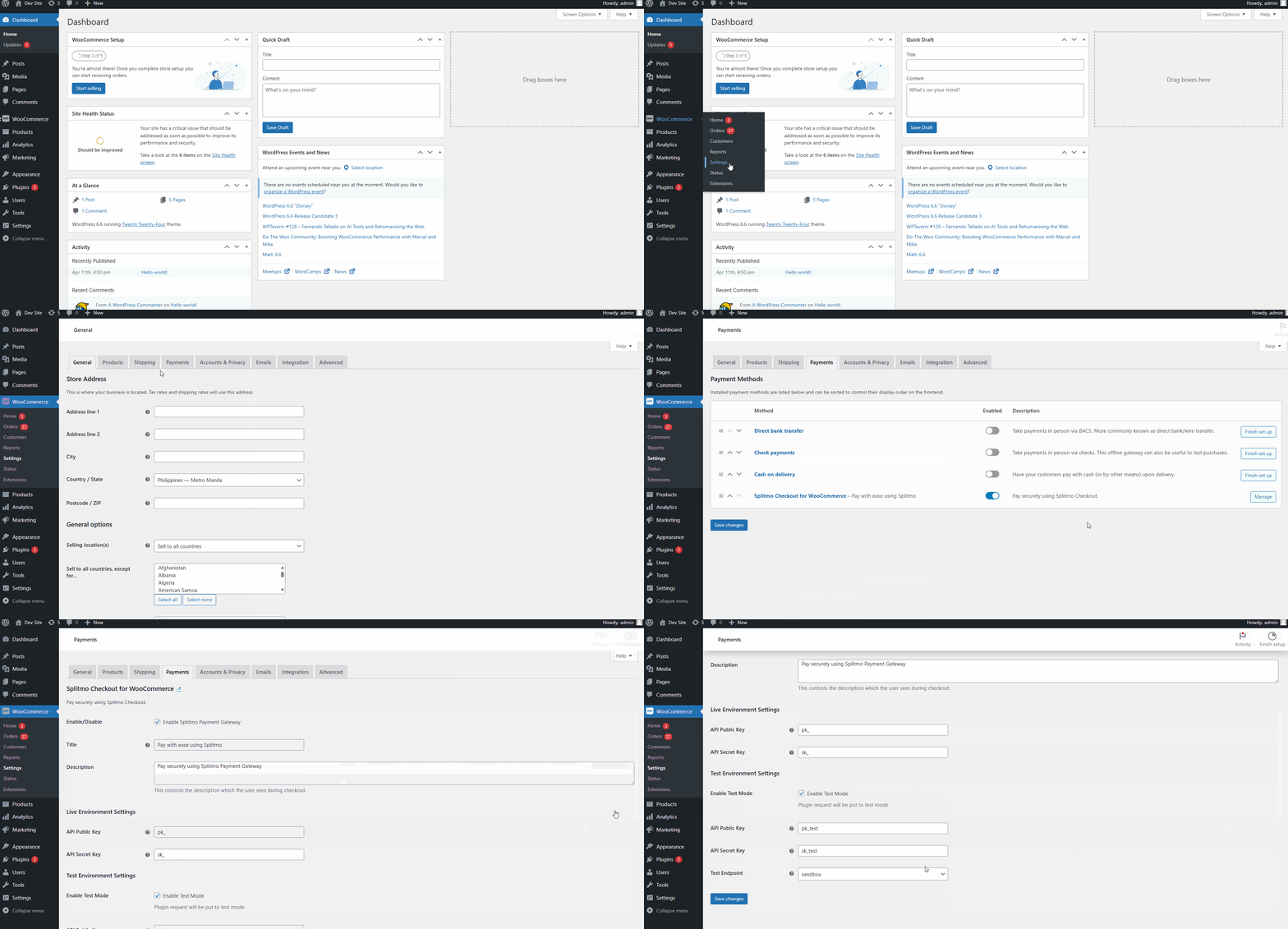
- On your WP-Admin panel go to WooCommerce > Settings.
- Go to WooCommerce Payments tab.
- Look for Splitmo Checkout for WooCommerce.
- Click on Manage
The Splitmo Settings
Here explained the different parts of Splitmo settings
| Setting | Description |
|---|---|
| Enable/Disable | Toggle to enable or disable the Splitmo payment gateway. |
| Title | The title of the payment method displayed to customers during checkout. |
| Description | A description of the payment method displayed to customers during checkout. |
| Live Environment Settings | Configuration settings for live transactions. To create live credentials, go to app.splitmo.co. |
| - API Public Key | Your live environment API public key. |
| - API Secret Key | Your live environment API secret key. |
| Enable Test Mode | Toggle to enable or disable test mode. It allows your succeeding transactions to be test transactions only. |
| Test Environment Settings | Configuration settings for test transactions. To create test credentials, go to sandbox.splitmo.co. |
| - API Public Key | Your test environment API public key. |
| - API Secret Key | Your test environment API secret key. |
You're all set
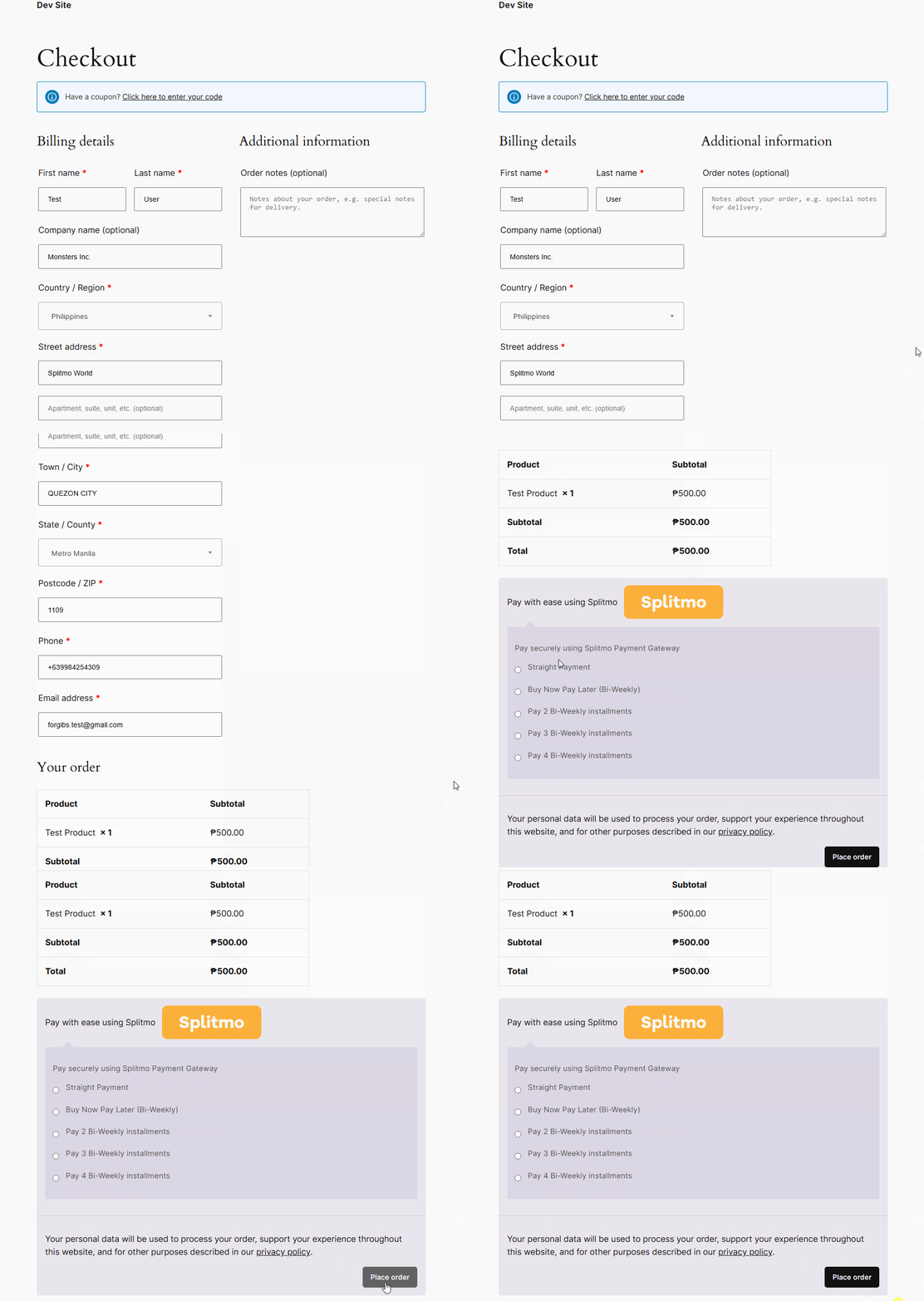 Test your newly installed plugin and start accepting payments with ease!